![White-logo-email.png]](https://support.kaiterra.com/hs-fs/hubfs/Images/White-logo-email.png?height=40&name=White-logo-email.png)
When Should You Use This Page?
Use this page when you want to look closer at a single building instead of the whole portfolio.
What You’ll See

When you open a building, you’ll land on the Overview tab. This is the main view.
At the top, you’ll see a summary of the building, including Air Quality, Thermal Comfort, and WELL V2 status. These are shown as percentages.

Below that, you’ll see a list of spaces in the building, each with its own performance scores.
Some spaces may also show a “worst metric,” which highlights the lowest-performing measurement for that space.
You can also change how the data is grouped by switching between space, floor, or space type.
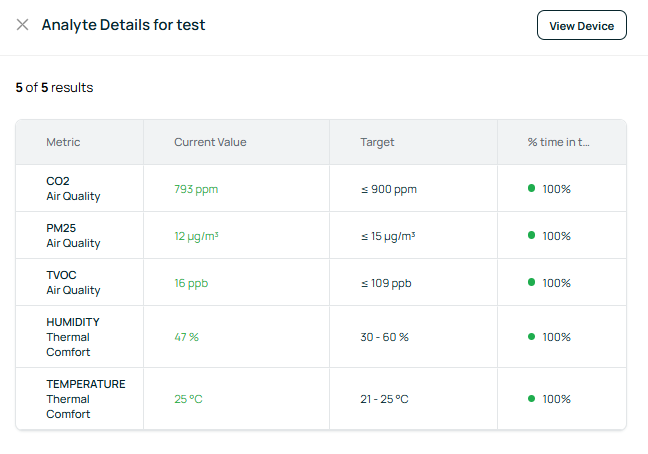
Click a space to view its detailed metrics, including CO₂, PM2.5, TVOC, temperature, and humidity, along with targets and performance.
Other Tabs
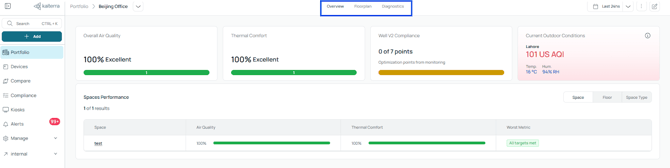
The Building Page also includes Floorplan and Diagnostics, which offer additional ways to view the same building data.