![White-logo-email.png]](https://support.kaiterra.com/hs-fs/hubfs/Images/White-logo-email.png?height=40&name=White-logo-email.png)
When Should You Use This Page?
Use this page when you want to view building data in a more detailed, visual format.
What You’ll See
The Diagnostics Page shows building data using scatter plots. Use this page to view how different metrics relate to each other.
Thermal Comfort Analysis (Temperature vs Humidity)
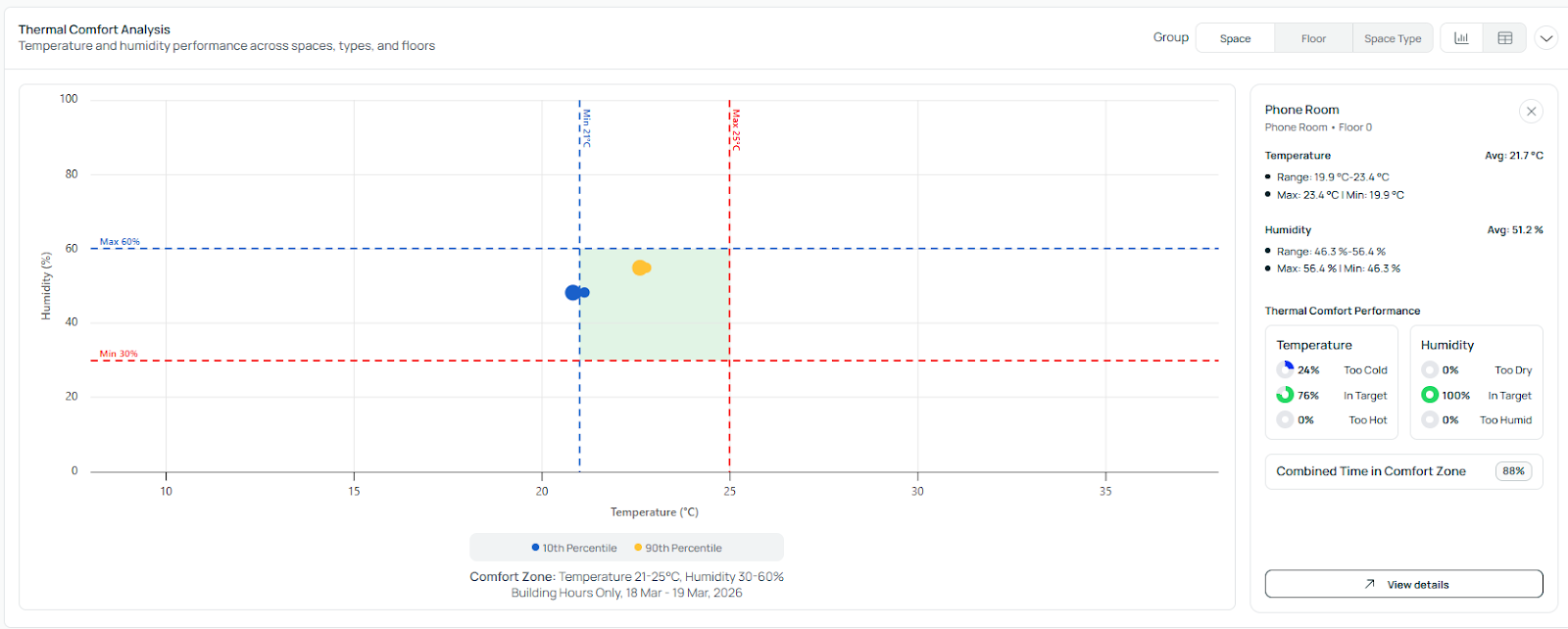
This chart shows how temperature and humidity interact across the building.
It uses the 90th percentile to represent typical conditions, separating the extreme readings so the data reflects how the building usually performs.
You can also click on any point in the chart to view its corresponding data.
CO₂ Ventilation Analysis
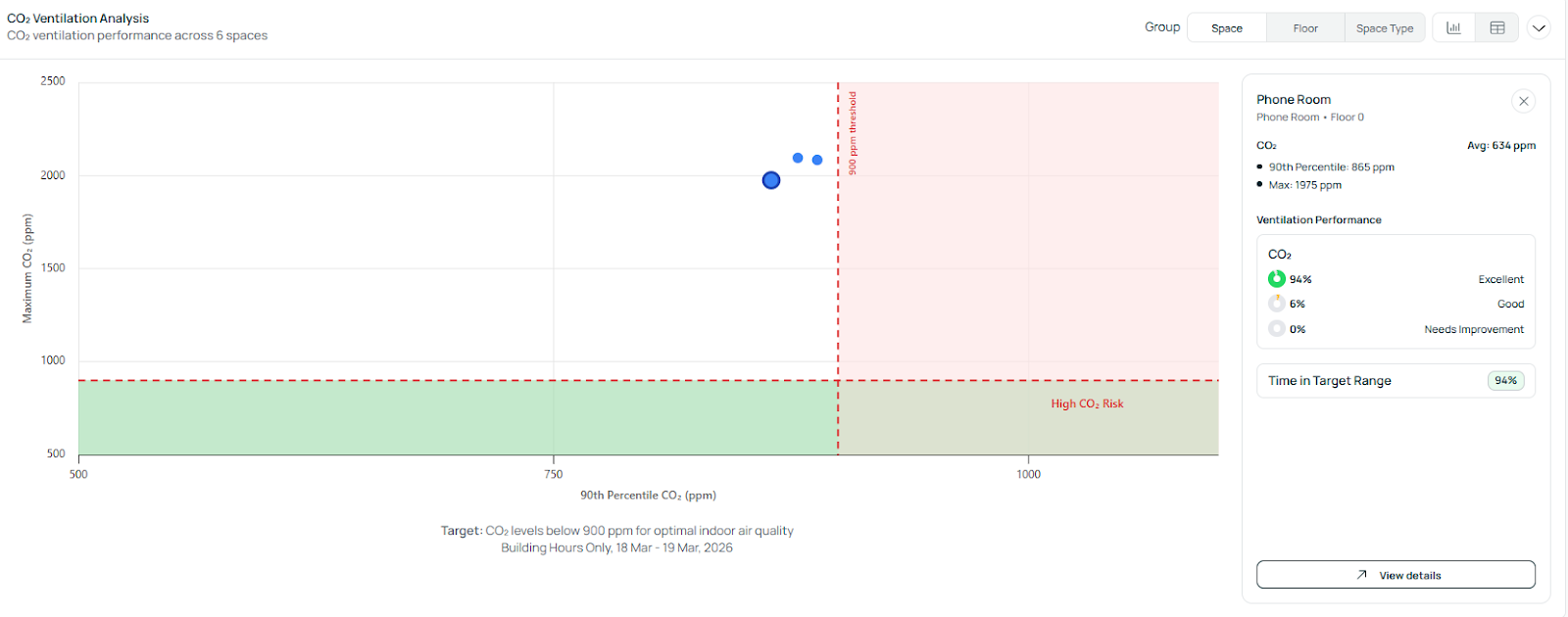
This chart shows CO₂ levels to help visualize ventilation performance.
It also uses the 90th percentile, which removes low readings during unoccupied periods when CO₂ is typically around 400 ppm. This makes the data more representative of actual usage.
You can click on any point to see its corresponding data.