![White-logo-email.png]](https://support.kaiterra.com/hs-fs/hubfs/Images/White-logo-email.png?height=40&name=White-logo-email.png)
Currently, this includes a WELL V2 compliance report, with additional certification frameworks to be added in the future.
When Should You Use This Page?
Use this page to check your building’s compliance status and understand how it performs against WELL V2 requirements.
What You’ll See
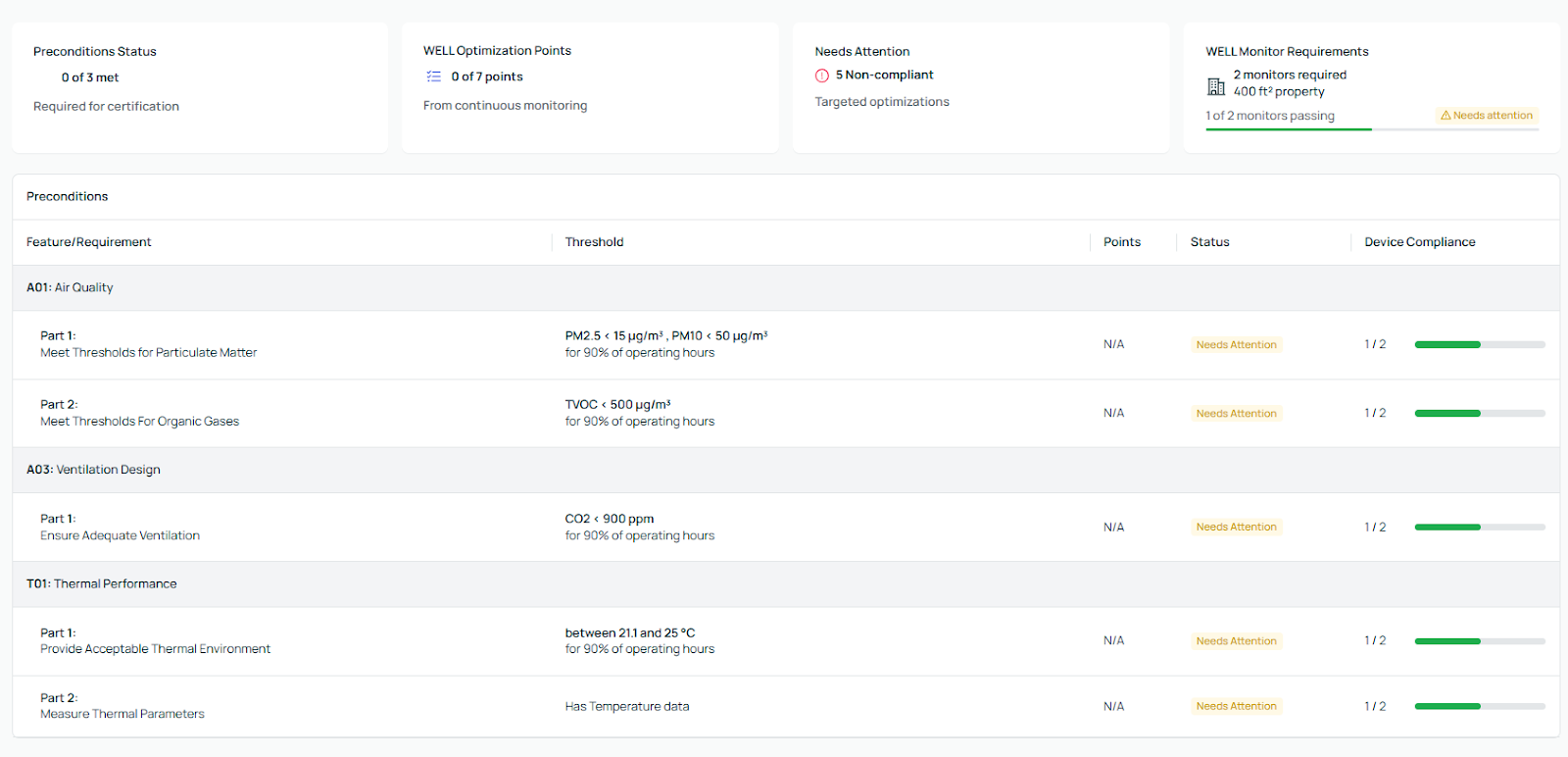
The page is divided into different sections based on WELL V2 requirements (Preconditions and WELL Optimization points). Each section shows the relevant metrics, their target ranges, and how many points can be attributed to.

You’ll also see an overall summary of your building’s performance, including which requirements are met and which need attention.
Understanding the Compliance Sections
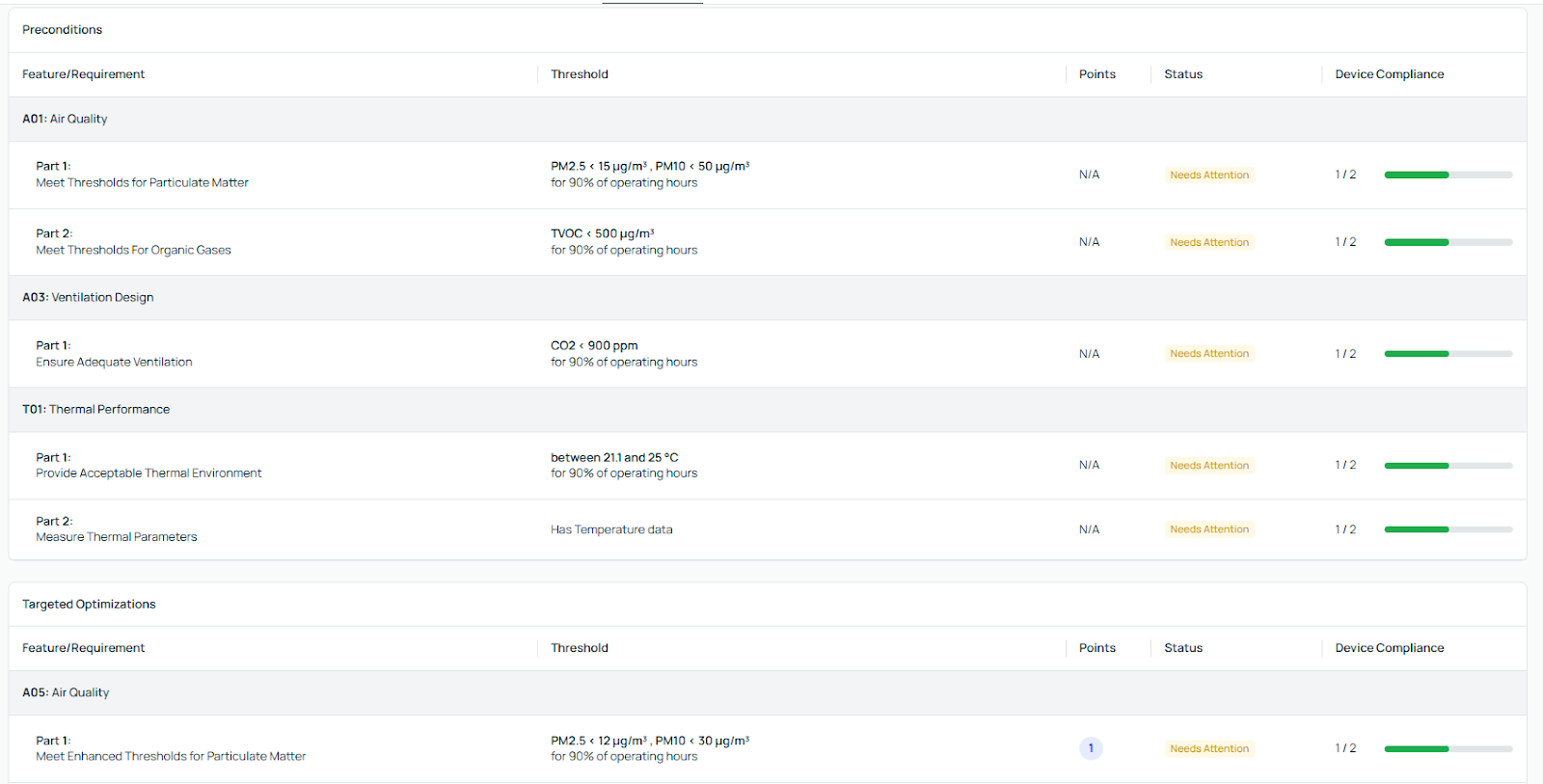
Each section represents a specific WELL V2 requirement, such as air quality or thermal comfort.
Within each section, you’ll see the key metrics (such as CO₂, PM2.5, TVOC, temperature, and humidity), along with their target ranges. The platform also shows how often each metric stays within its target.
This allows you to quickly understand how each requirement is performing.
Viewing Status and Requirements
Each requirement is marked based on its current status, showing whether it is meeting the required conditions or needs attention.
You’ll also see how many conditions are required and how many are currently achieved. This helps you track your progress clearly.
WELL Monitor Requirements
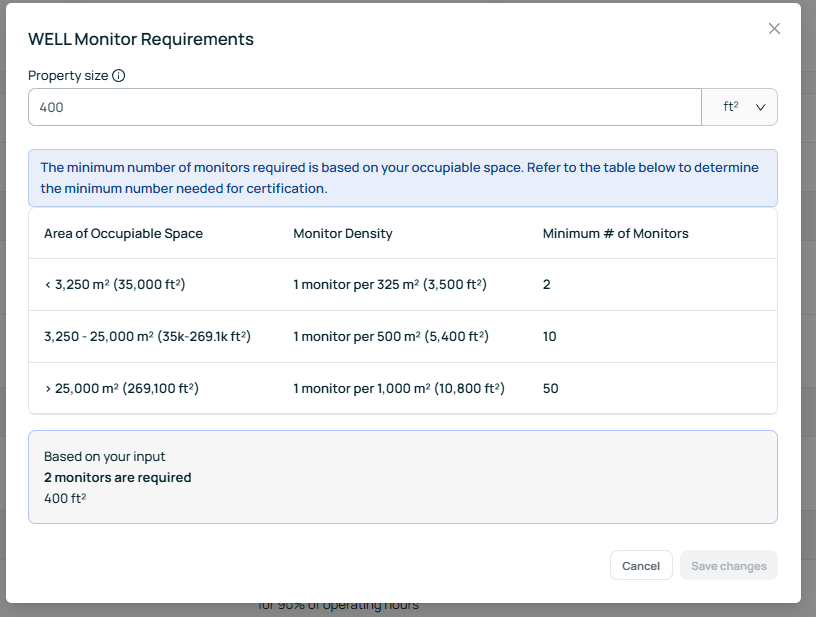
The Compliance Tool also shows the number of devices required for your building based on its size.
This ensures that your data meets the minimum requirements for WELL V2 certification.