![White-logo-email.png]](https://support.kaiterra.com/hs-fs/hubfs/Images/White-logo-email.png?height=40&name=White-logo-email.png)
When Should You Use This Page?
Use Alerts when you want to be notified of changes in your data without needing to check the platform manually.
What You’ll See
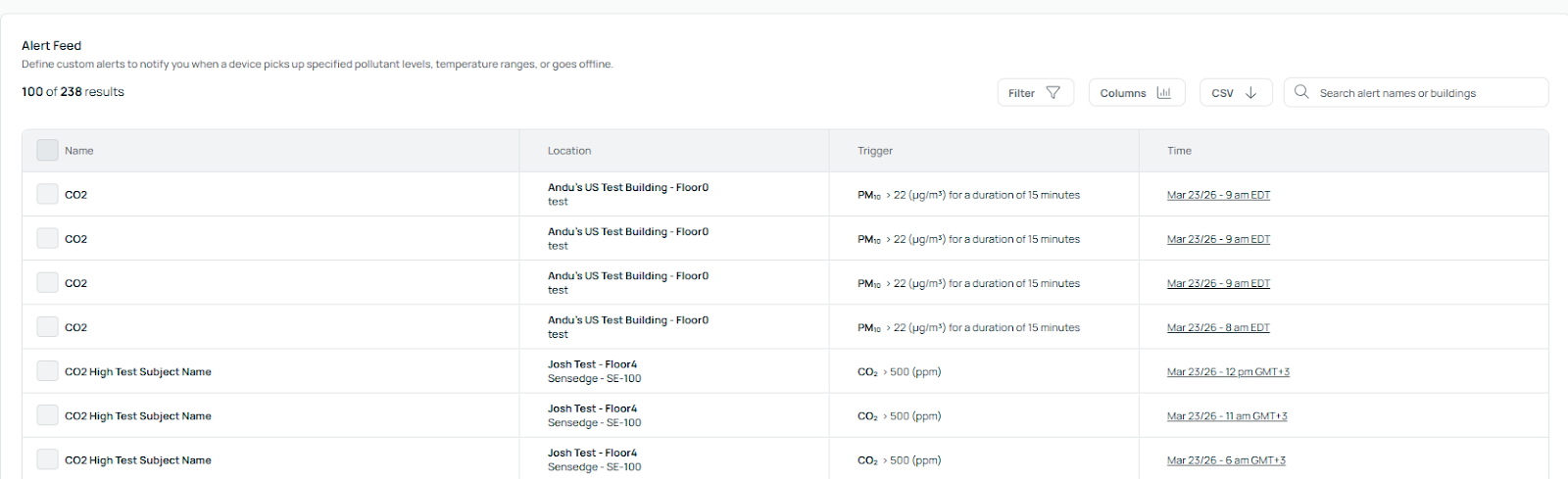
The Alerts page shows a list of all active alerts, including the condition being monitored and their current status and you can create alerts based on specific conditions.
Creating an Alert
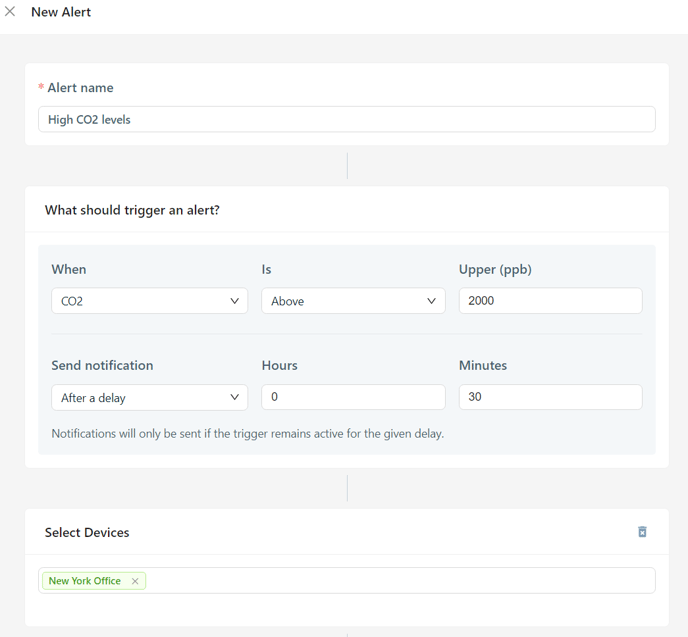
To create an alert, you’ll need to define the condition you want to monitor.
You can select a device, choose the metric (such as CO₂, PM2.5, or temperature), and set the threshold that will trigger the alert.
You can also define how the alert should trigger, such as when a value goes above or below the set threshold.
Managing Alerts
Once created, alerts will appear in your Alerts list.
You can review, edit, or remove alerts as needed.