![White-logo-email.png]](https://support.kaiterra.com/hs-fs/hubfs/Images/White-logo-email.png?height=40&name=White-logo-email.png)
When Should You Use This Page?
Use this page when you want to add users, manage access, or update user roles.
What You’ll See
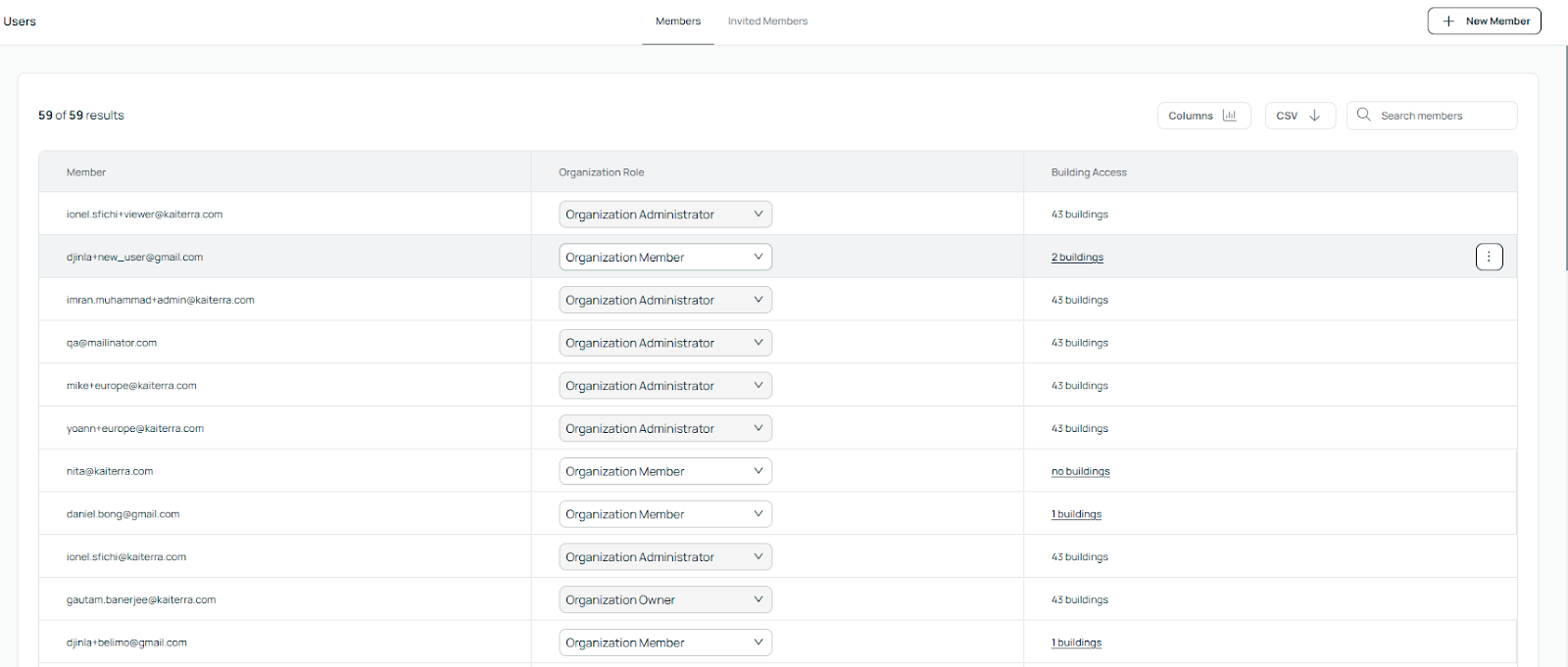
You’ll see a list of all members in your organization.
Each member shows their assigned role and which buildings they have access to.
Inviting a New User
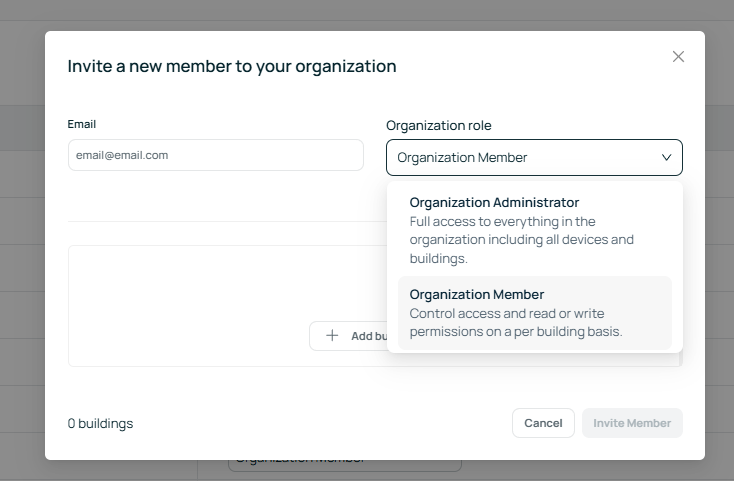
To add a new user, click “+ New Member”.
Enter their email address and assign a role.
Understanding Roles
You can assign different roles depending on the level of access needed.
An Organization Administrator has full access to the entire organization.
An Organization Member has access only to the buildings assigned to them, with permissions set per building.