![White-logo-email.png]](https://support.kaiterra.com/hs-fs/hubfs/Images/White-logo-email.png?height=40&name=White-logo-email.png)
Installing the sound module
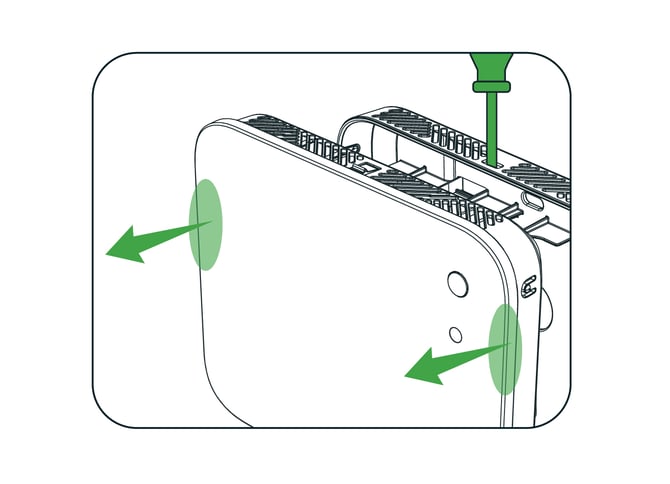
1.Remove the back cover.
Insert a 5 mm flat-head screwdriver or pin into the top slit, then pull the device forward out of the cover.
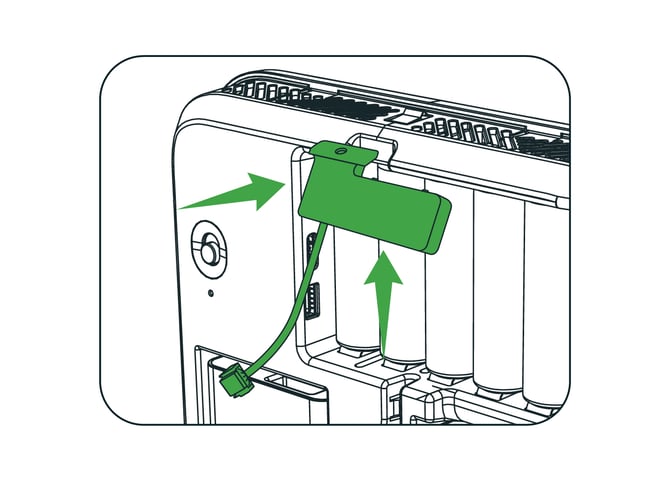
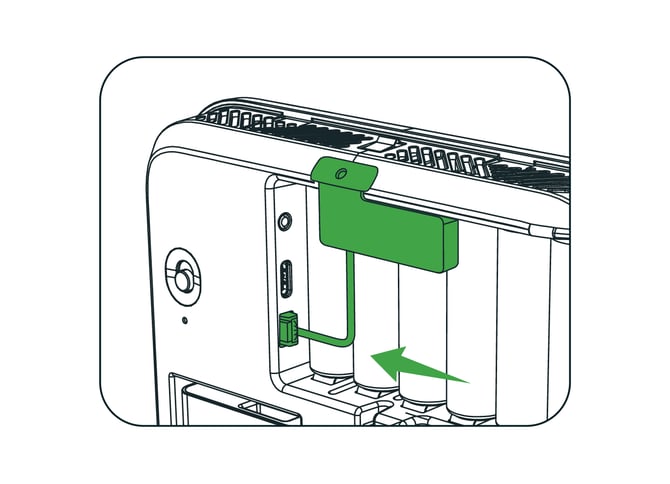
2.Insert the sound module.
Angle the module down with the sensor head in the top cable outlet. Hook it into the vent holes above the battery, push until it snaps in, then plug in the cable.
Caution: Do not push straight down, or the hooks can break.
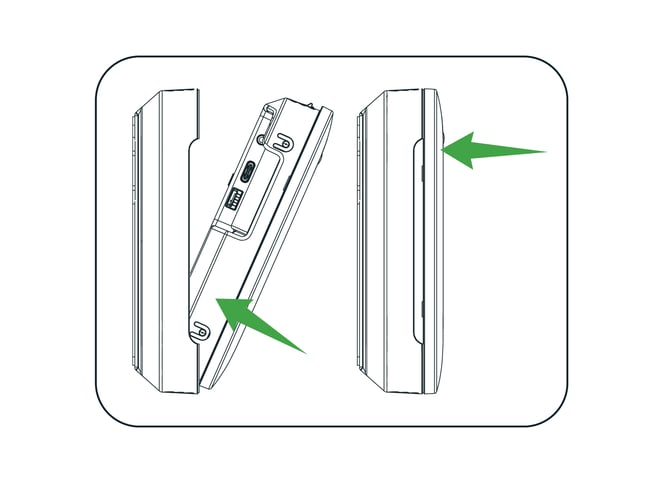
3.Put the device back in the cover.
Put the bottom of the device into the cover first, then press the top in until it clicks.
Removing the sound module
To remove the sound module, press the latch and pull out the plug, not the cable. Then lift the module up and out.